I run rigs for my own mine
Your drilling record, approved by your people.
- Review and approve shifts. Problems are flagged to you, not buried.
- Budget vs actual metres per rig, per month.
- Programs, holes, surveys and progress on one map.
Drilling management software
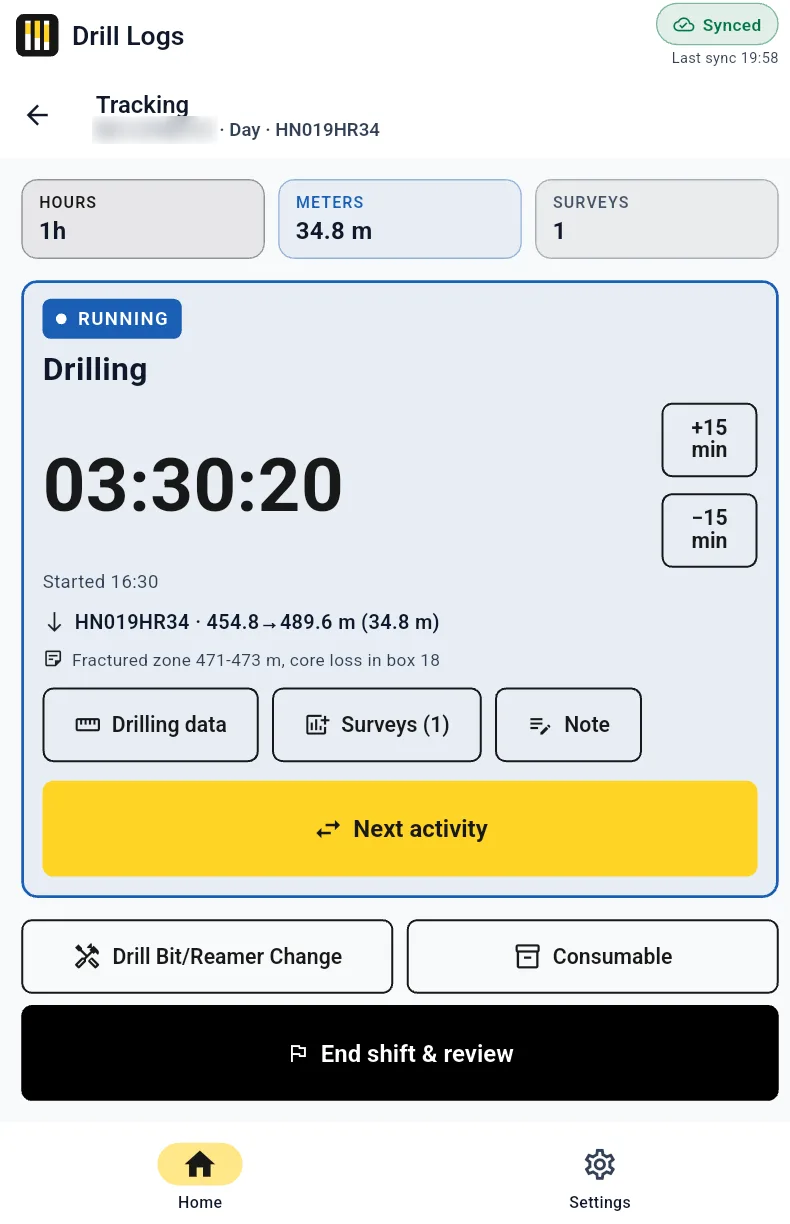
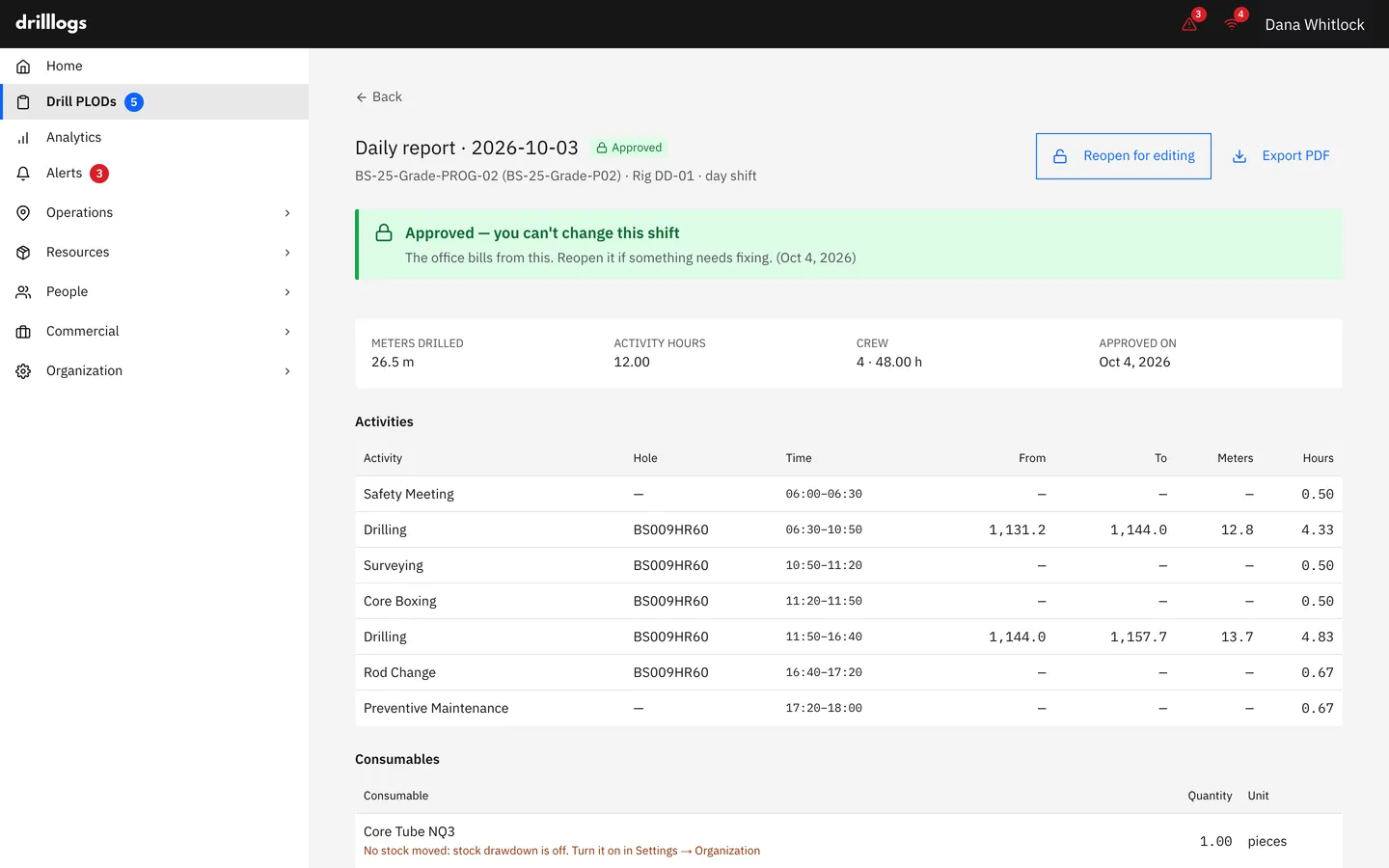
Logged on an Android tablet at the rig, even without signal. Checked in the office, approved by someone else, then locked. Invoices, budgets and reports all come from that one record.
Free 30-minute demo on your own program. Pilot: one rig, eight weeks, success criteria agreed before day one.
The number doesn't move. Only who has signed it does.
The driller's sheet, the office spreadsheet and the invoice each carry their own copy of the shift. By month-end nobody agrees which one is right, and the retyping never stops.
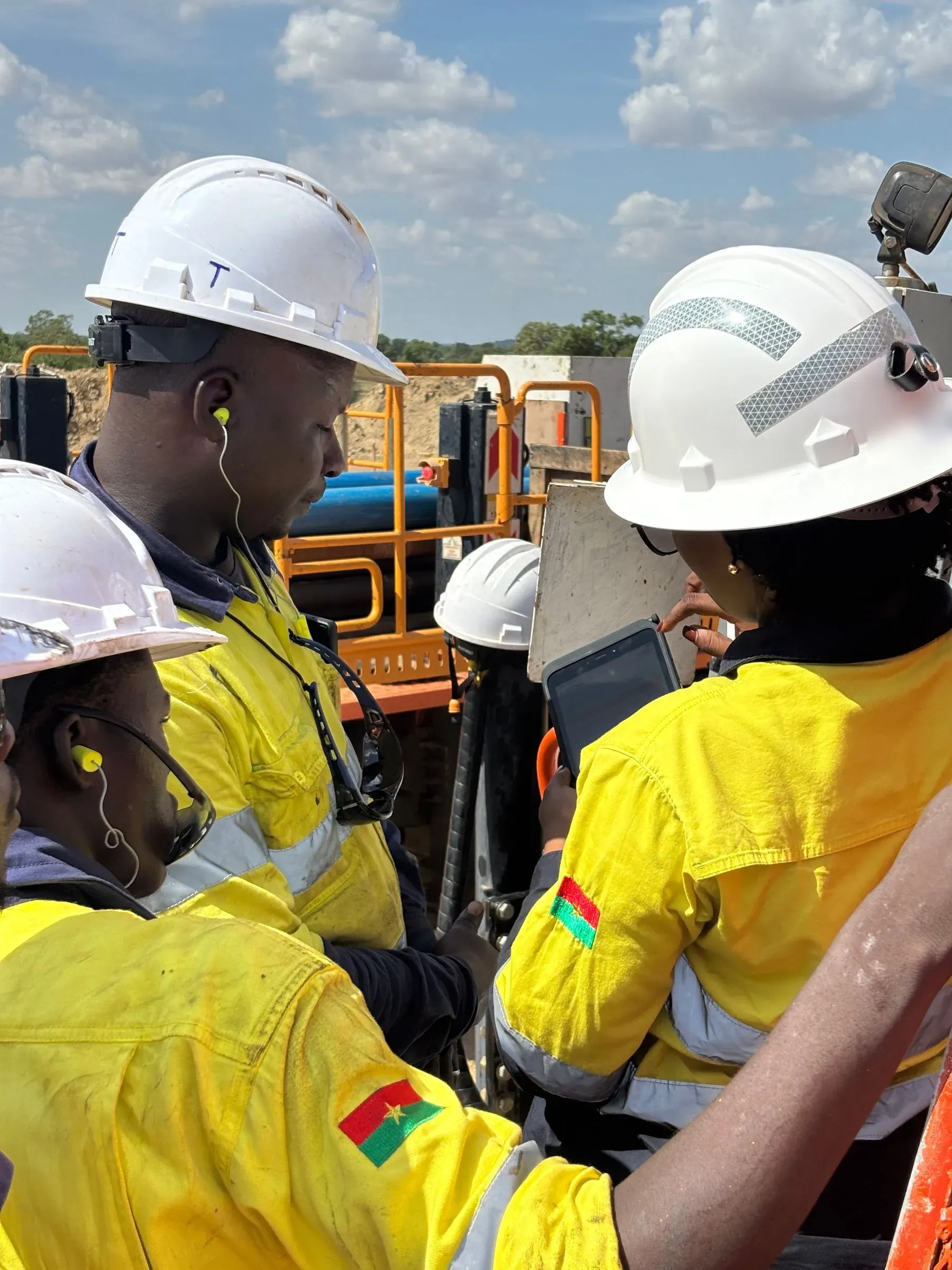
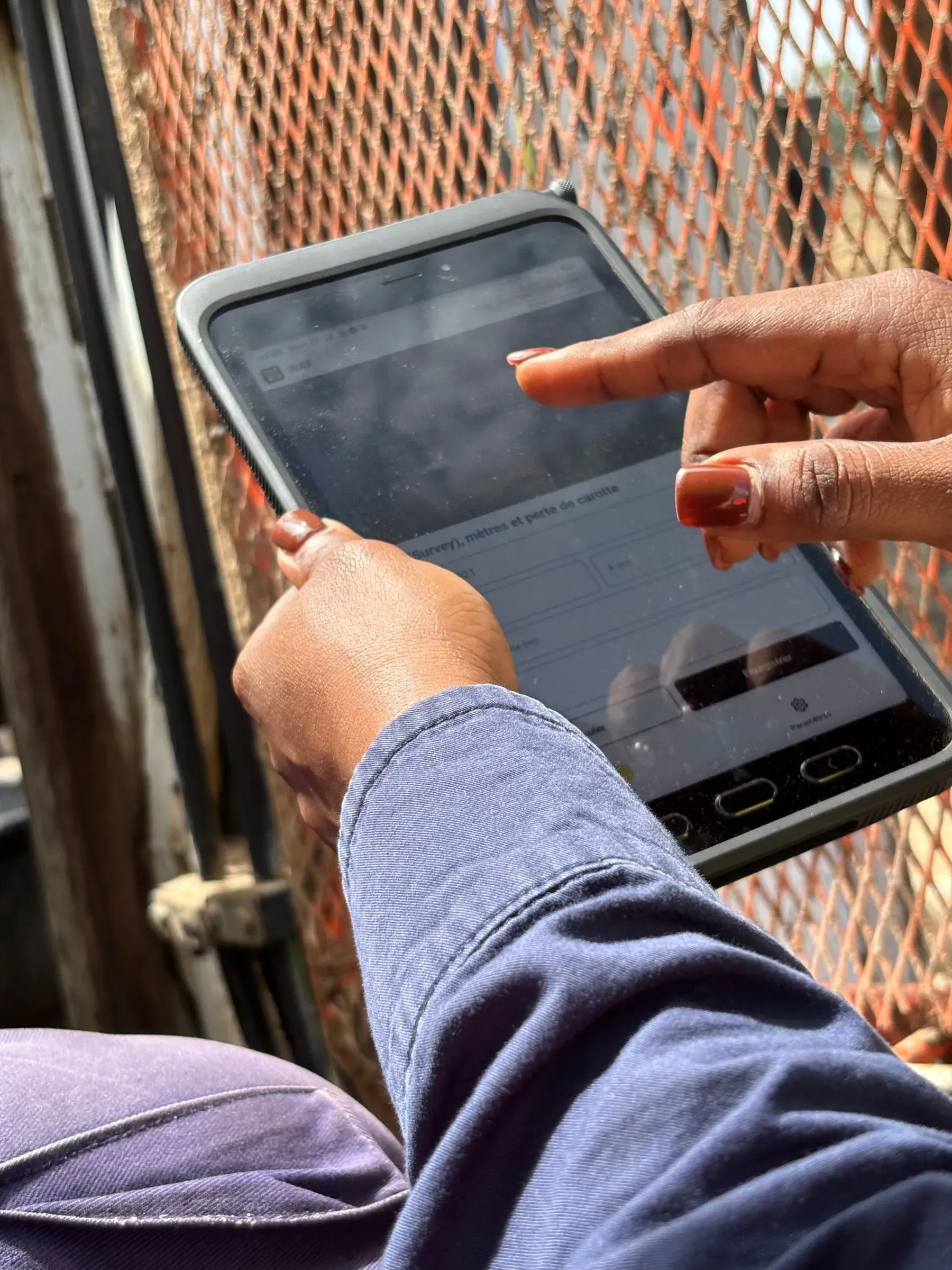
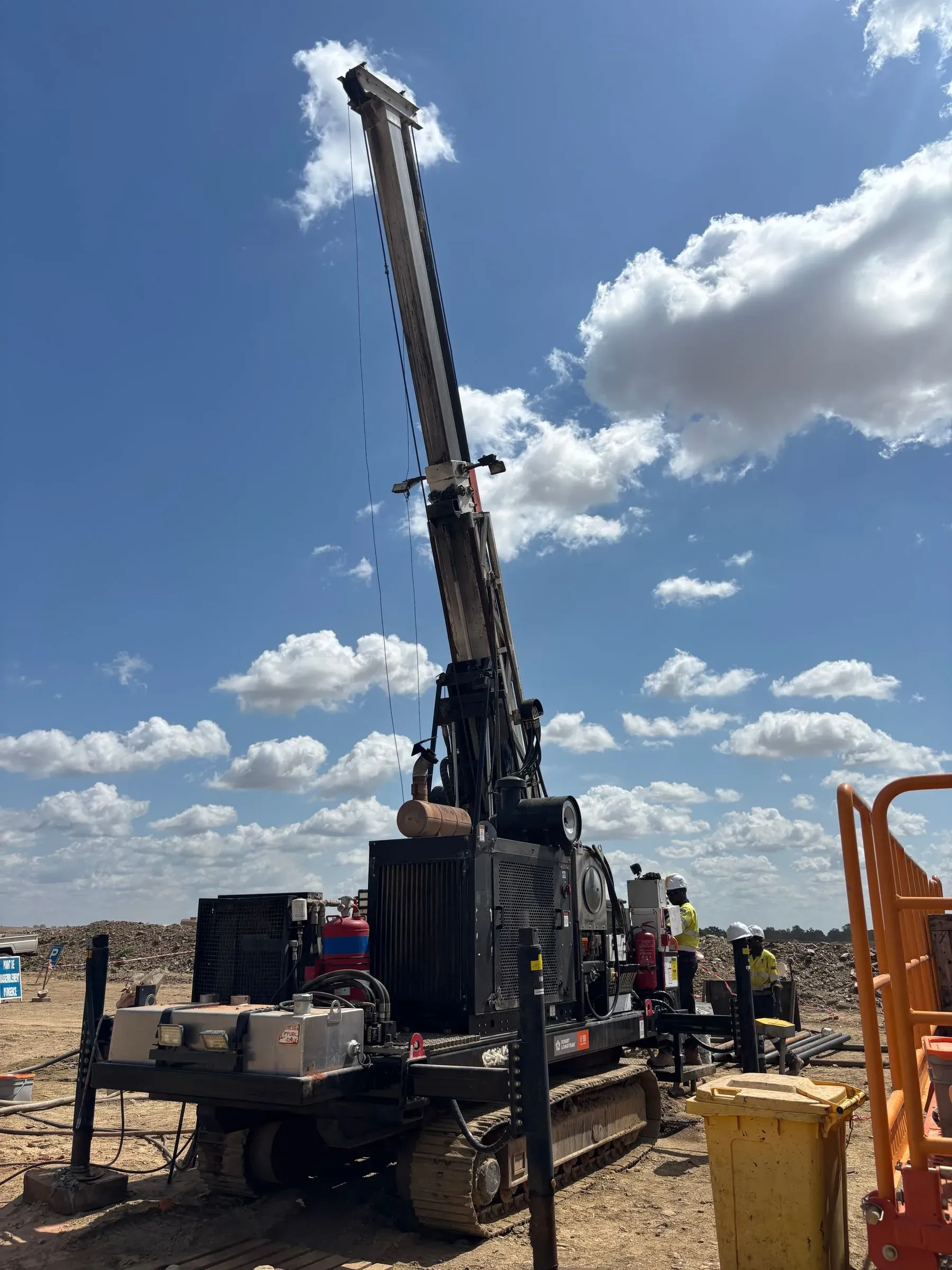
Photos from a client drill site: a crew learning the tablet at the rig, then logging a run from inside the cage. Same app as the screens on this page.
Record · NF-26-0418 · 29.7 m
I run rigs for my own mine
I hire drilling contractors
I drill for clients
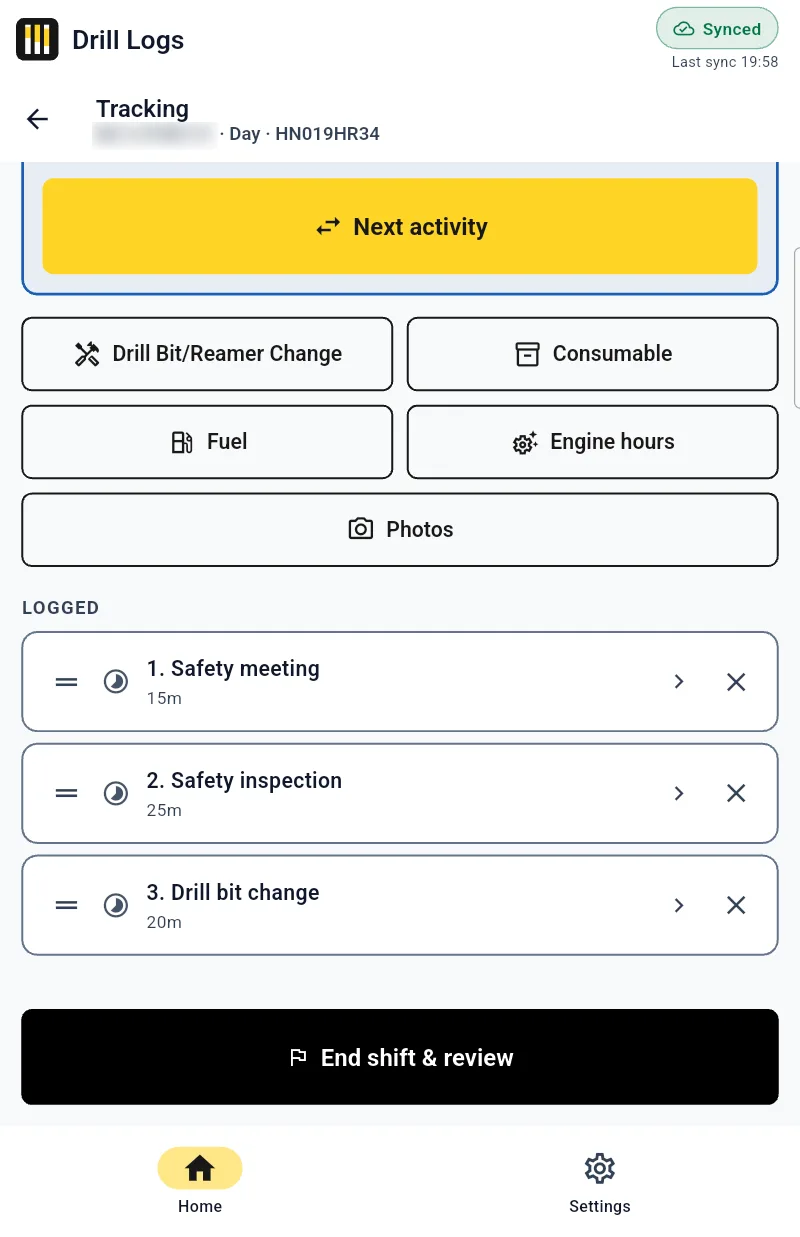
One shared Android tablet per rig. Each crew member picks their name at handover. Timed activities, from/to depths, core loss, bit changes, consumables, surveys and photos go in once.
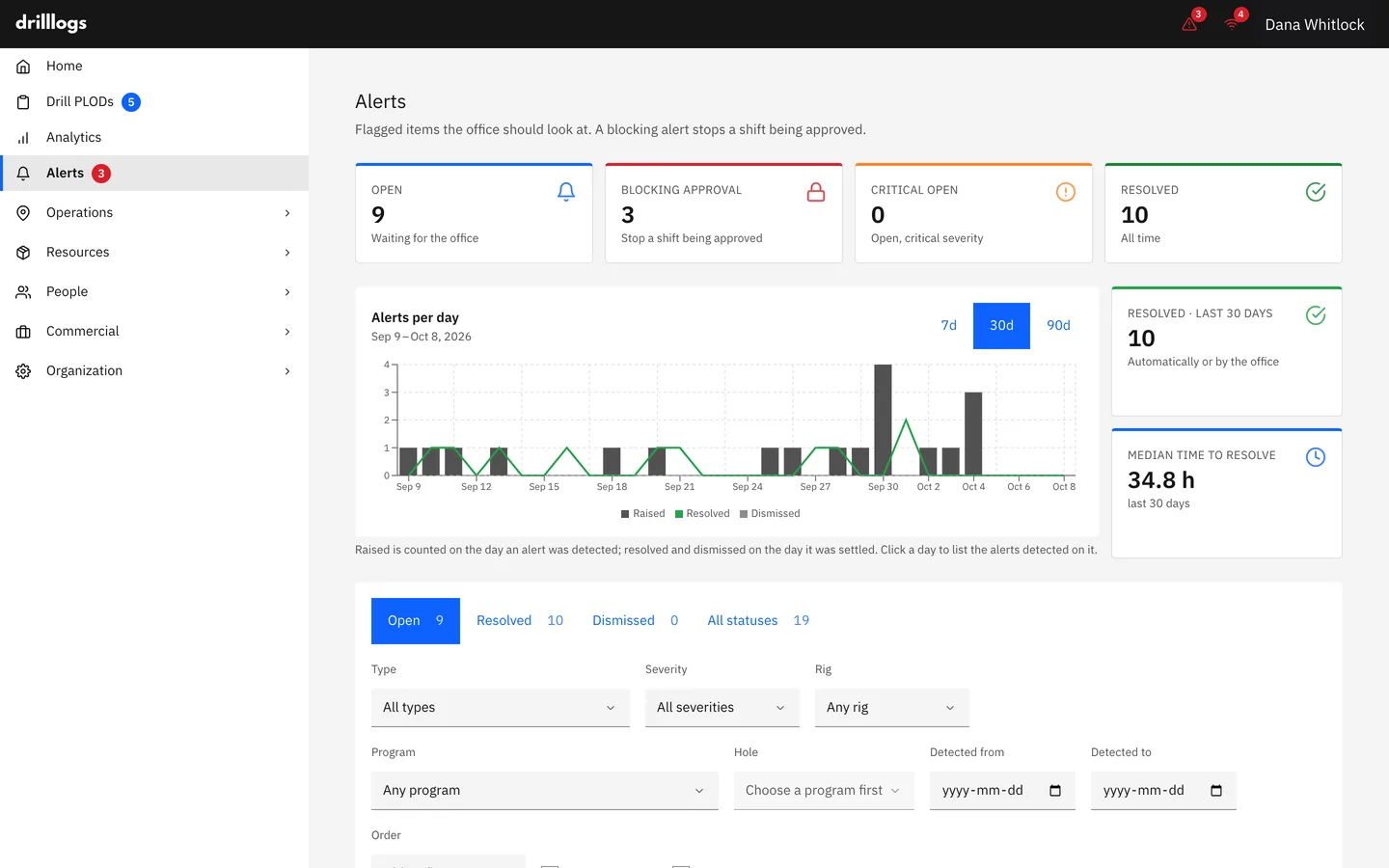
About 35 rule-based checks look at every PLOD: depths that overlap a run already logged, a night shift dated a day late, the same rig or crew on two shifts, a gap between runs, hours that don't add up. Some block approval until they're settled; the rest warn.
Every flag shows the shift, the field and the reason. Nothing is rejected at the rig; your supervisor decides.
Resolve or dismiss. A person always decides.
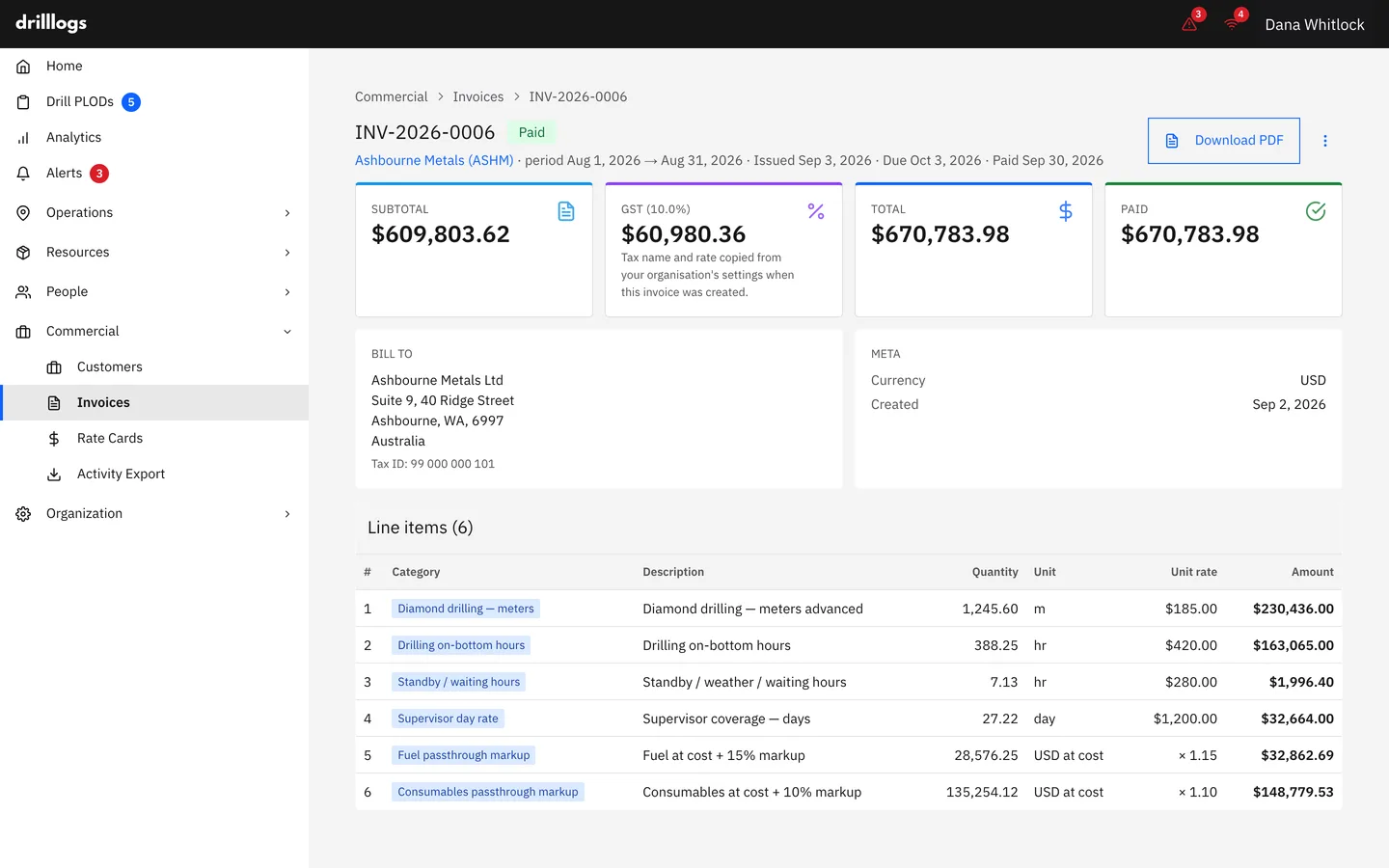
Rate cards per client: metres by drilling method, drilling and standby hours, mobilisation, supervisor day, pass-through. Draft, send, mark paid. Export import-ready files for QuickBooks and Xero.
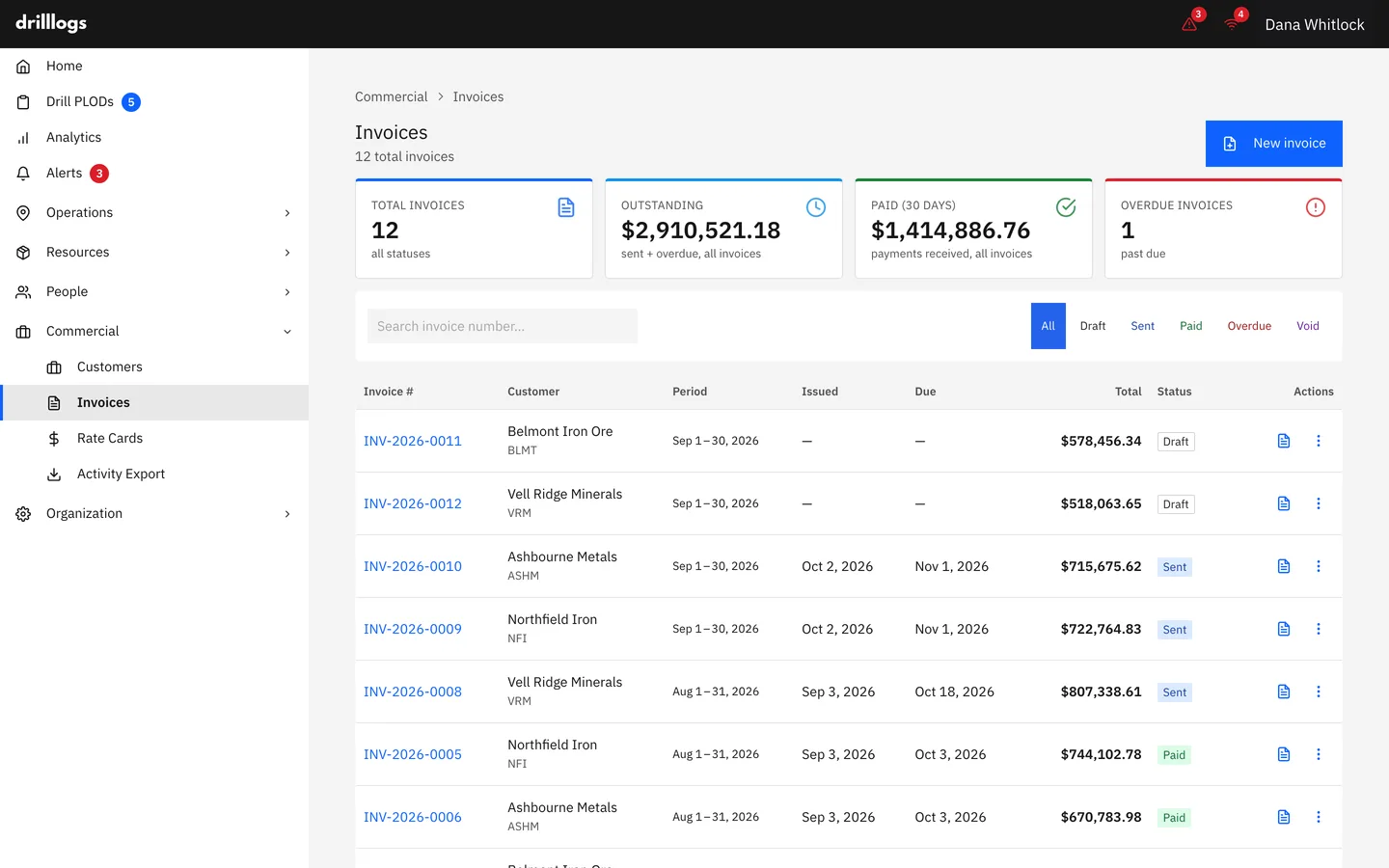
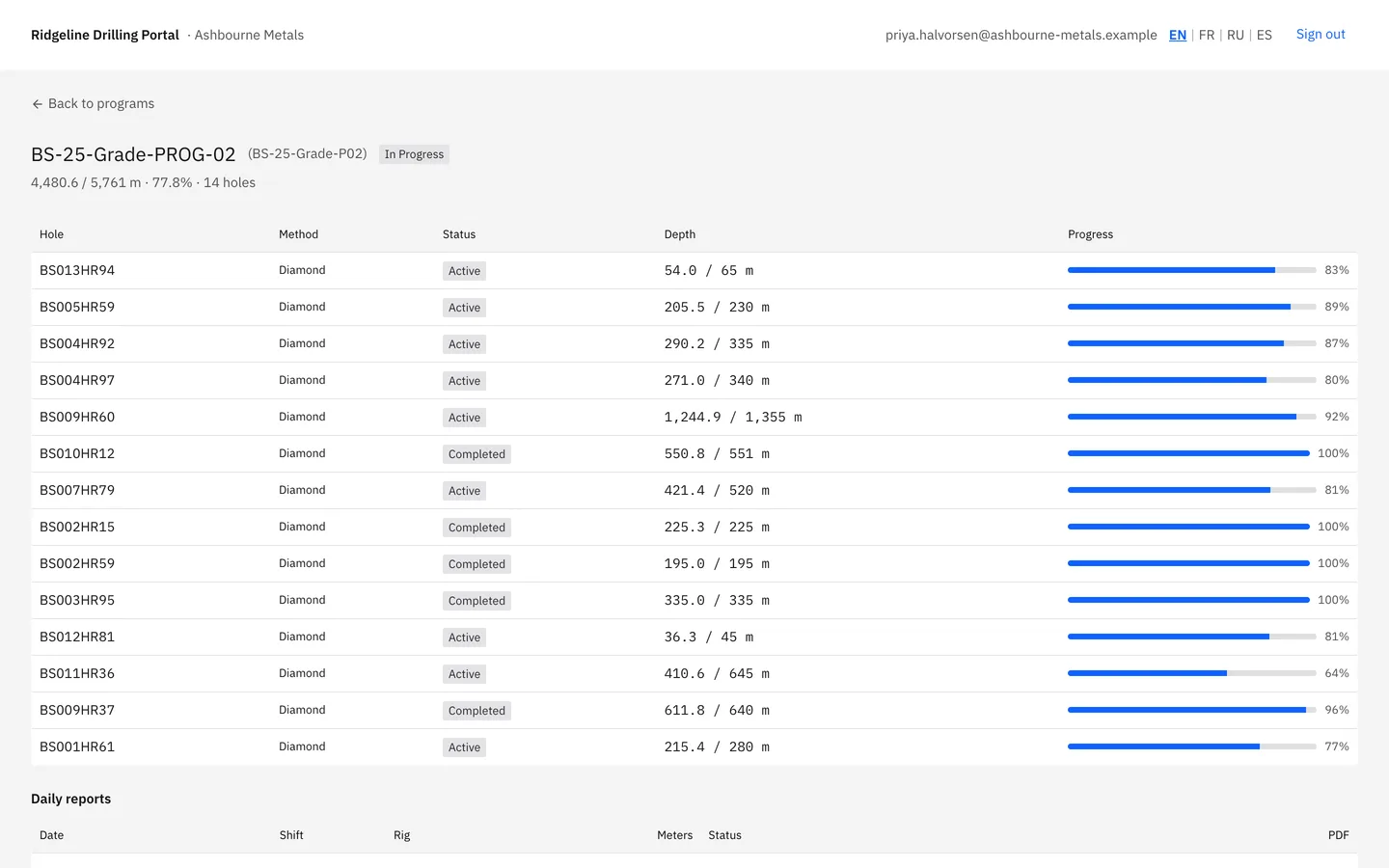
Ask us to switch on the client view for a client and they sign in with a link to see their own programs, holes and approved PLODs. Read-only, crew names removed, off until you ask.
Check your contractor's own invoice against your rig log, line by line.
Programs, holes and surveys on a map
Boundaries, collars, survey import, progress forecast, read-only Gantt.
Rig metre budget vs actual
Paste the corporate grid. “Never budgeted” stays apart from “demob”.
Bit and reamer life
Metres and hours per bit across rigs and holes.
Stock by site
Consumable prices with history, low-stock alerts, transfers; optional drawdown from the shift.
Crews and timesheets
Hours from logged activities, exported as CSV. Not payroll.
Read-only REST API
Programs, holes, rigs and shifts. An admin issues the keys.
Reports from approved shifts
PLOD PDF with both names, management report in PDF or Excel, daily operations email.
Scheduled reports
Weekly and monthly, with the charts you pick per client and for management, emailed to the right people.
Month-end summary per rig
For the budget owner: every figure traced to the shifts, checked before anyone publishes it.
Yes. Drill departments running their own rigs use it to approve shifts, track metres against budget per rig, and keep programs, holes and surveys in one place. If you hire contractors, your people can approve the contractor's shifts too and check the contractor's invoice line by line.
The tablet keeps working. The shift is saved on the tablet and uploads by itself when coverage returns. Nobody has to switch an offline mode on.
The crew submits the PLOD and someone other than the submitter approves it. Some checks, like overlapping depths or core loss longer than the run, block approval until they're settled. Once approved the shift is locked: reopening takes an admin and a written reason, and the PLOD PDF prints who submitted and who approved it.
Tablet: English and French, Android only. Web app: English, French, Spanish and Russian, with some screens still English only. The management report is in English. This website: English and French.
PLOD PDFs per shift, a management report in PDF or Excel, CSV from charts, timesheets and budgets, and invoices as PDF plus QuickBooks, Xero, CSV and JSON files. There's also a read-only API. Invoicing needs the billing plan, and these are files, not a live accounting sync.
One rig at a time. First a 30-minute demo on your own program. If it fits, a paid eight-week pilot on one rig and one program, alongside your paper PLOD for the first two weeks and across one month-end, with success criteria agreed before day one.
Per rig, per month, by plan. We quote after the demo, once we know how many rigs and which modules you need. The pilot is quoted the same way.
Yes. We supply rugged Android tablets set up for the rig as part of the deployment, so the crew doesn't have to source or configure hardware.
Programs and holes come in by CSV import. During the pilot the crew runs the tablet alongside the paper PLOD for the first two weeks, so nothing is lost while people switch.
It's yours. Shifts, invoices, timesheets and budgets export as CSV, Excel, PDF and JSON, and the read-only API returns programs, holes, rigs and shifts.
DrillLogs is ISO 27001 certified. Each company's data is kept apart, roles control who can do what, and nobody can approve their own shift. Google and Microsoft sign-in are on Enterprise. The security page has the details.
30 minutes, on your program. The demo is free; a pilot on one rig is paid and scoped.